

How to Create a WordPress.org Account for Plugins
A first-person guide to creating a WordPress.org account, fixing a valid-email rejection, submitting a plugin, and earning qualified discovery traffic.
I had our WordPress plugin, its readme.txt, and an installable ZIP ready. Then I hit the dullest possible blocker: without a WordPress.org account, I could not submit any of it.
My first registration ended with "That email address appears to be invalid", although the address was valid. WordPress.org support later confirmed that a site change had rejected legitimate addresses by mistake. After they fixed it, I registered again and reached "Your account is pending approval".
Open the WordPress.org registration page, submit a stable public username and a monitored email address, then wait for the password email. Once you can sign in, use Add your Plugin to upload an installable ZIP for manual review.
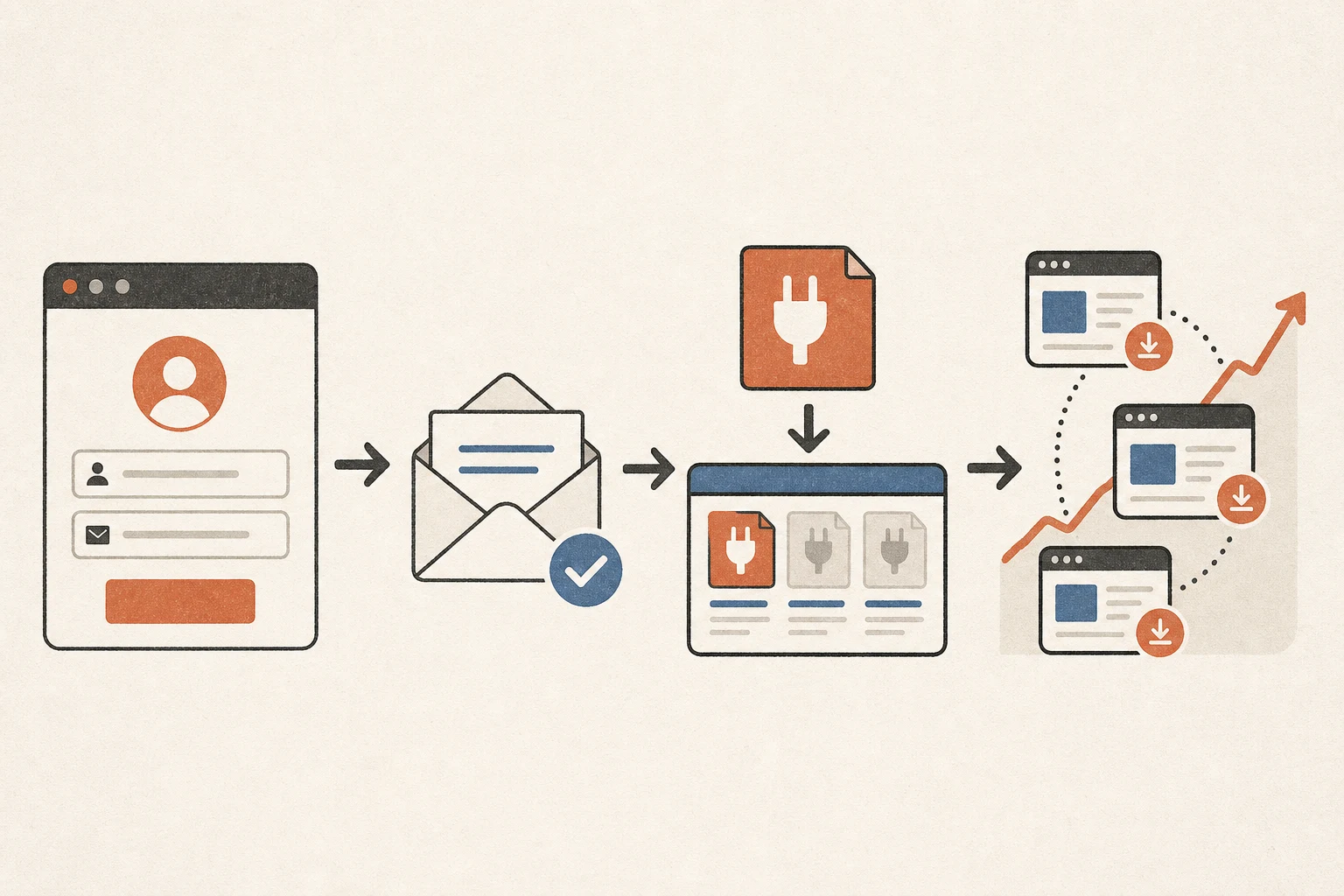
Why the WordPress.org account matters
A WordPress.org account is separate from a site's administrator login and a WordPress.com account. That WordPress.org identity is used to maintain directory plugins, reply in support forums, and receive review or security messages.
The WordPress.org plugin directory is useful because visitors already have a problem in mind. They can find and install a plugin inside WordPress. Publishing alone does not guarantee traffic; setup still has to be clear.
Before creating the WordPress.org account, I chose a durable team username and a mailbox that a human checks. The official plugin guidelines require current contact information and discourage auto-replies that prevent a timely human response. I also settled the plugin name early because the public slug is derived from "Plugin Name" and cannot be renamed after approval.
Create the WordPress.org account
1. Submit the username and email
Visit login.wordpress.org/register and complete the fields shown. You do not need to build a WordPress site first. Treat the username as a public developer identity. Before submitting, check the email for whitespace, a misspelled domain, and a browser validation error.
2. Wait when approval is pending
After my corrected registration, WordPress.org showed "Your account is pending approval". The page said a password-setting email would arrive after approval.
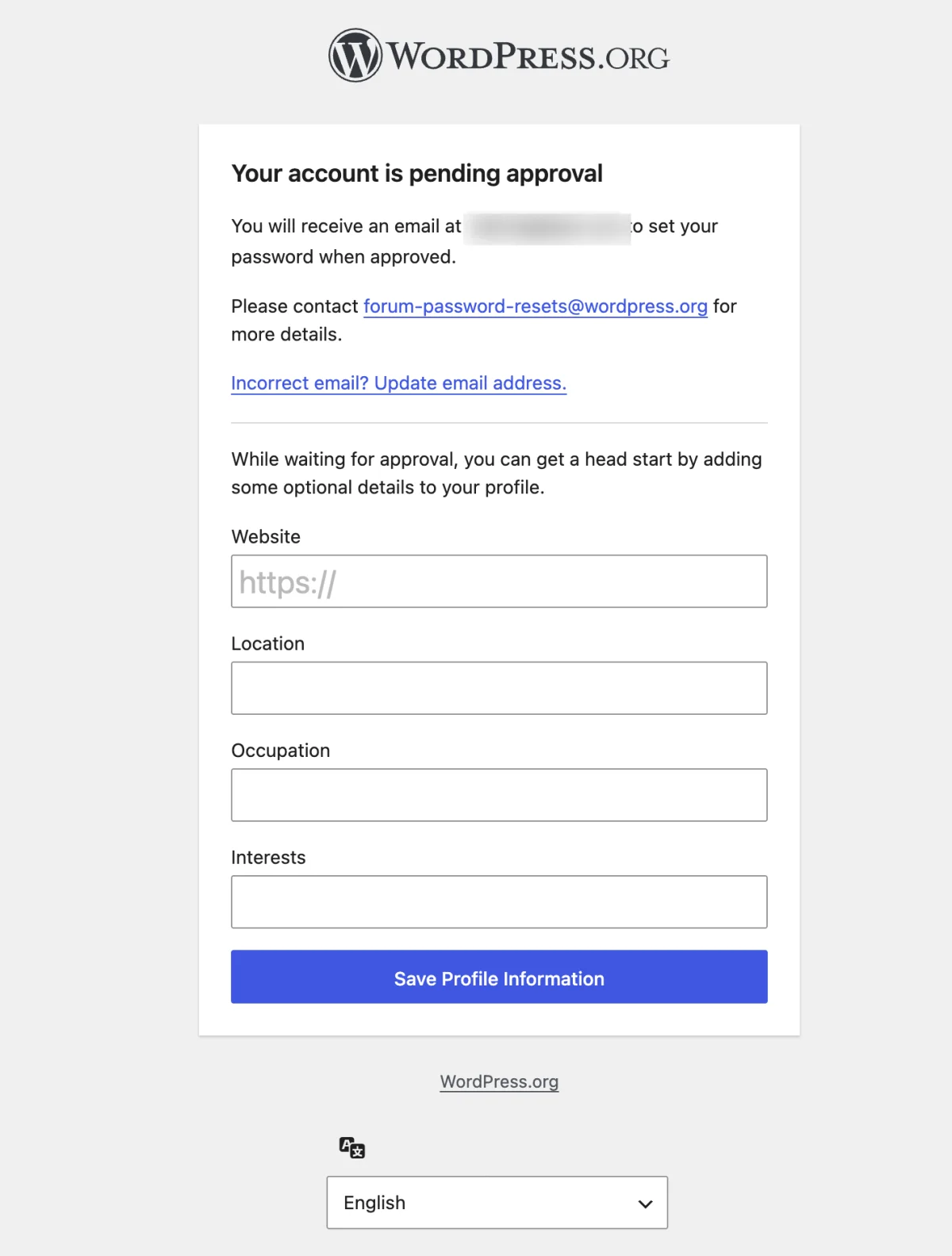
WordPress.org profile fields were optional. I confirmed the email and watched the inbox. Account approval and plugin review are separate; no plugin is in review yet.
3. Set the password from the email
When approval arrives, use its official WordPress.org link to set the password, then sign in and check the profile email. Verify the link is on a wordpress.org domain. Support does not need the password or a one-time code.
When a valid email is rejected
My first attempt returned "That email address appears to be invalid." The address had no spaces or hidden characters, the browser considered the type=email field valid, and the error survived a network change. No public profile or pending registration appeared.
I stopped retrying and emailed forum-password-resets@wordpress.org. I included the intended username, rejected address, exact error, approximate time, and a screenshot. I also noted that browser validation passed and that the WordPress.org account was for maintaining our own plugin. I did not send a password or code.
WordPress.org replied that a change had caused valid addresses to be rejected, that this was unintended, and that the issue should now be corrected.
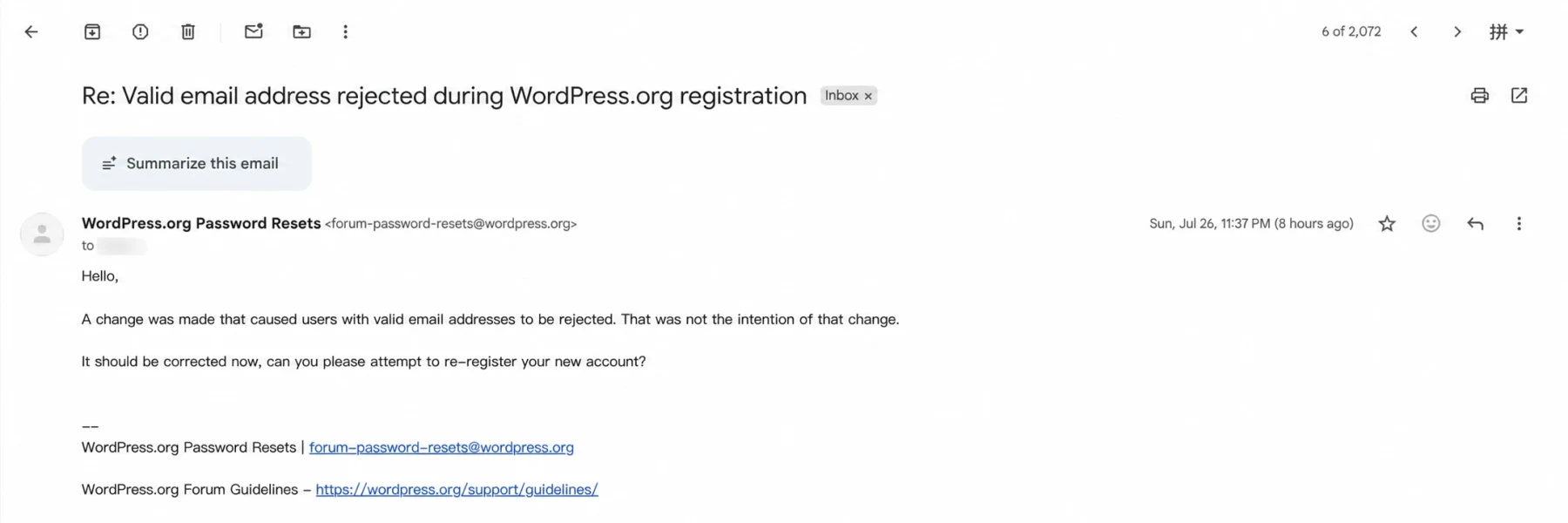
The next WordPress.org attempt reached pending approval. That explains my case, not every email error. Check spelling, whitespace, mailbox access, and browser validation first. If the error persists across networks, send one concise support request instead of repeating submissions.
Submit the plugin after approval
Once the WordPress.org account works, sign in to Add your Plugin, read the Detailed Plugin Guidelines and Developer FAQ, then upload an installable ZIP.
The WordPress.org submission page says plugins are manually checked for common errors and compliance. Review can take 1 to 10 days, with an attempt to handle submissions within five business days. Frequent problems include unescaped output, unsanitized input, form handling without a nonce, and rule violations.
After approval, WordPress.org provides a directory page and SVN repository. New releases, readme.txt, screenshots, and compatibility information remain the developer's responsibility.
Where plugin traffic comes from
The useful path is specific: someone searches WordPress.org for a problem, installs the plugin, understands the setup, knowingly connects the service, and gets a result.
WordPress.org permits Software as a Service plugins when the external service provides substantial functionality and the readme documents it. The rules also prohibit tracking without explicit consent. I would measure attribution only after a user deliberately connects the service, not hide telemetry in the plugin.
On WordPress.org, clear naming, real setup screenshots, a short first-run flow, and current compatibility information give the listing a chance to earn qualified traffic. The account opens the channel; the plugin does the work.
My checklist
- Create a WordPress.org account for long-term maintenance.
- Confirm the mailbox works and wait for the password email.
- Check the plugin name, slug, license, privacy disclosure, and security work.
- Upload the ZIP through Add your Plugin and wait for manual review.
- After approval, publish through SVN and keep the listing current.
Frequently asked questions
Can a WordPress.com login submit a directory plugin?
Do not assume it can. You need a WordPress.org account that signs in to the plugin submission page.
How long does pending approval take?
My account page gave no estimate. The 1-to-10-day range on Add your Plugin is for plugin review, not WordPress.org account approval.
Does a WordPress plugin guarantee traffic?
No. The directory provides discovery, installation, and updates, not a ranking or signup guarantee. A useful scope, clear setup, consent-aware product bridge, and steady maintenance determine whether the listing becomes an acquisition channel.
This process was checked on July 27, 2026. Recheck Add your Plugin and the plugin guidelines before submitting because page states and review times can change.